
Wine reserve & locker management

Every bottle, accounted for.

Horreum runs a venue’s wine locker program end to end — the ledger, the labels, the pulls — and gives every member a collection worth showing off.

Runs on the phones your staff already carry · iPhone and Android

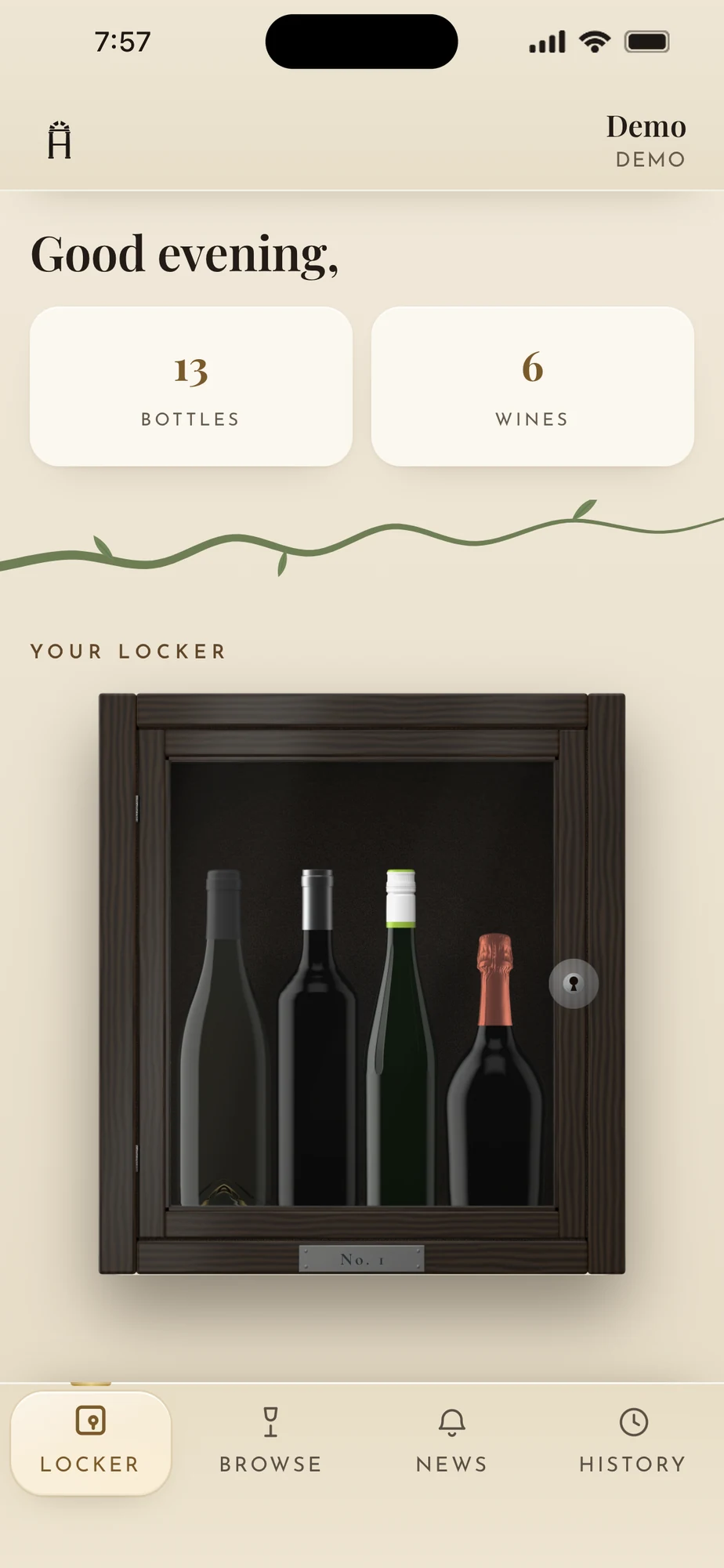
A member’s locker in the Horreum app: a dark wooden cabinet holding their bottles, with bottle and wine counts above
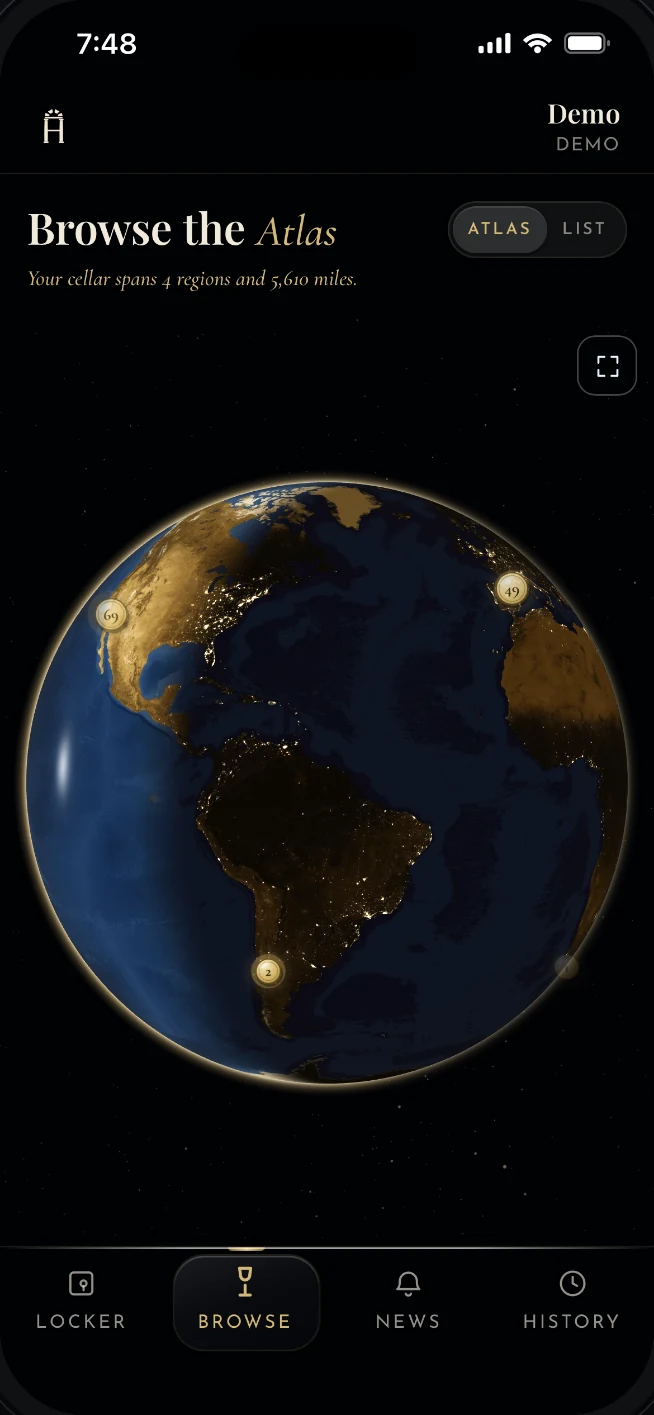
The Atlas: a night globe with gold pins where the member’s wines were made
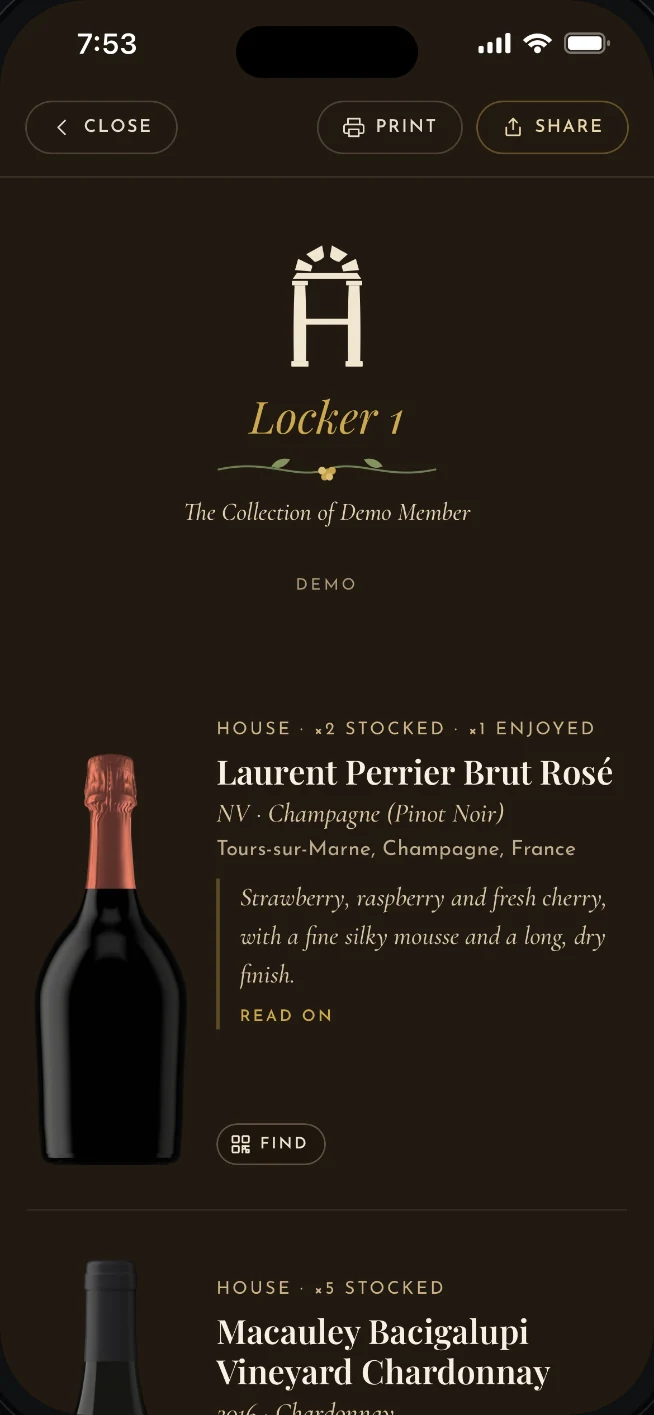
The Collection: a member’s cellar sheet, ready to print or share

Why Horreum

A locker program runs on trust. Horreum keeps the record behind it.

Venues put real care into looking after their members’ bottles. As a program grows, more of that care goes into the records — what is in each locker, where each bottle sits, what was opened and when. Horreum carries that part, so your team can stay with the guest.

One shared record

Every member, locker and bottle in one place, so the floor, the bar and the office are always looking at the same thing.

A history for every bottle

Who stocked it, who pulled it, when and for whom — kept as the work happens, so the answer is there whenever a member asks.

The right bottle, right away

At 7:45 on a Saturday, the server is walked straight to the member’s bottle and where it sits. The table isn’t kept waiting.

How it works

Label. Stock. Serve.

01

Label

Your QR labels come from Horreum, minted in batches and registered before they ship, so a label cannot be forged, duplicated or lost to a misprint. Nothing to print. A tag comes back into circulation when its bottle leaves.
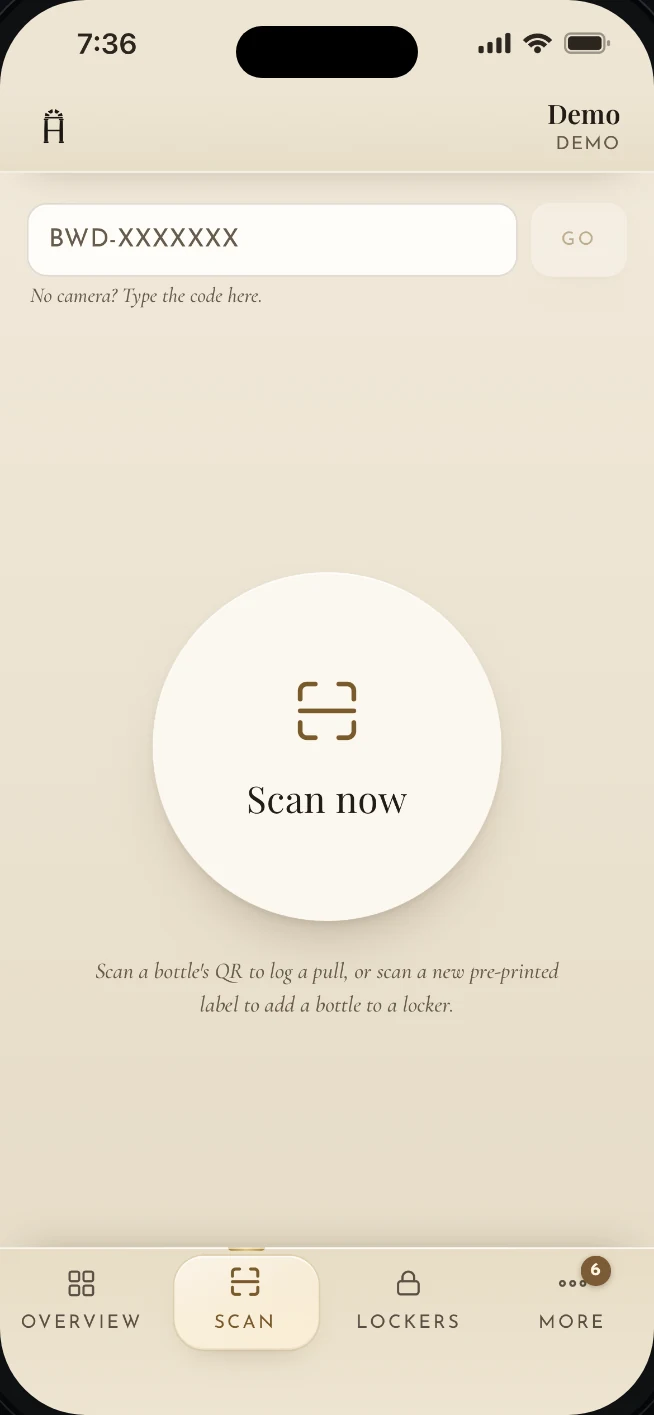
The staff Scan page: one button to scan a bottle’s QR tag, or type the code
02

Stock

Adding a bottle starts by scanning the QR tag that goes on it. Then the wine: pick it from your catalog, or enter its basics — producer, vintage, type — if it is not in the system yet. Then the locker, and where the bottle physically sits. The member’s collection updates that moment, and the activity log records who did it and when.
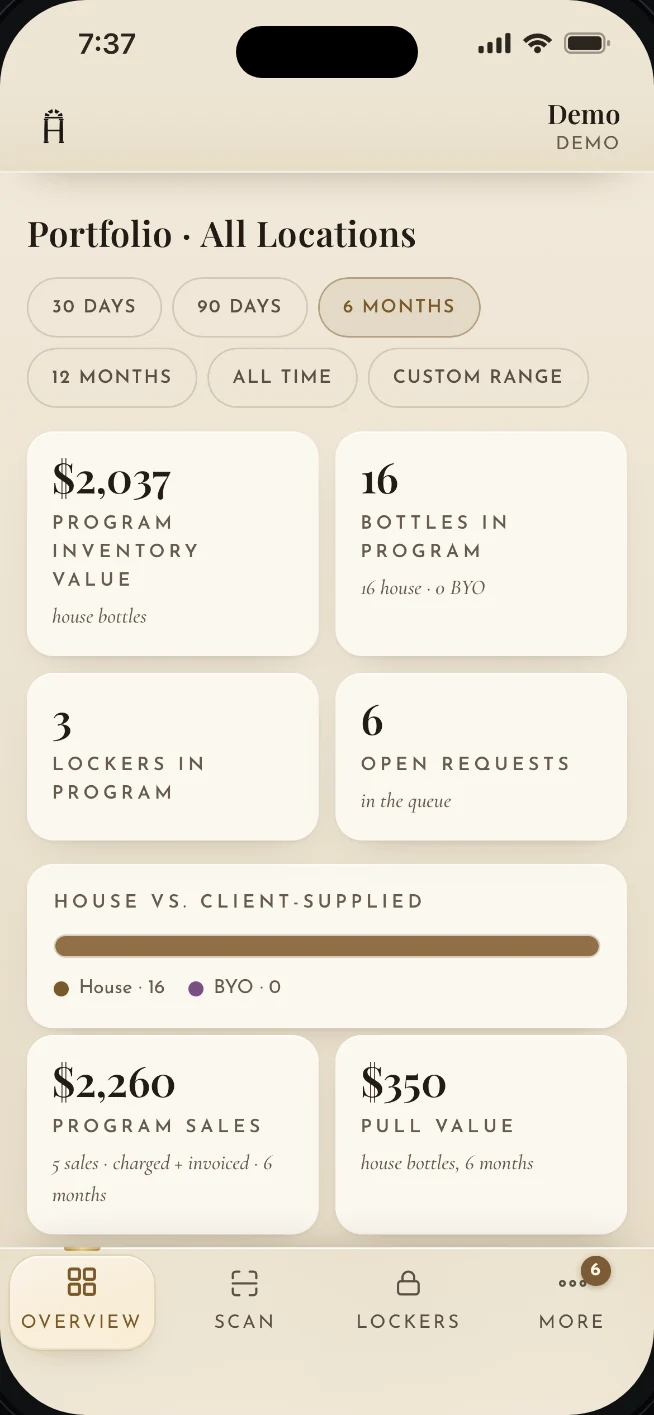
The venue overview: inventory value, bottles and lockers in the program, open requests
03

Serve

At the table, the member shows a code from their collection. The server scans it, is walked to the exact bottle and its storage spot, confirms it by scanning the bottle’s tag, and logs the pull. The member gets a note — and a chance to rate the bottle.
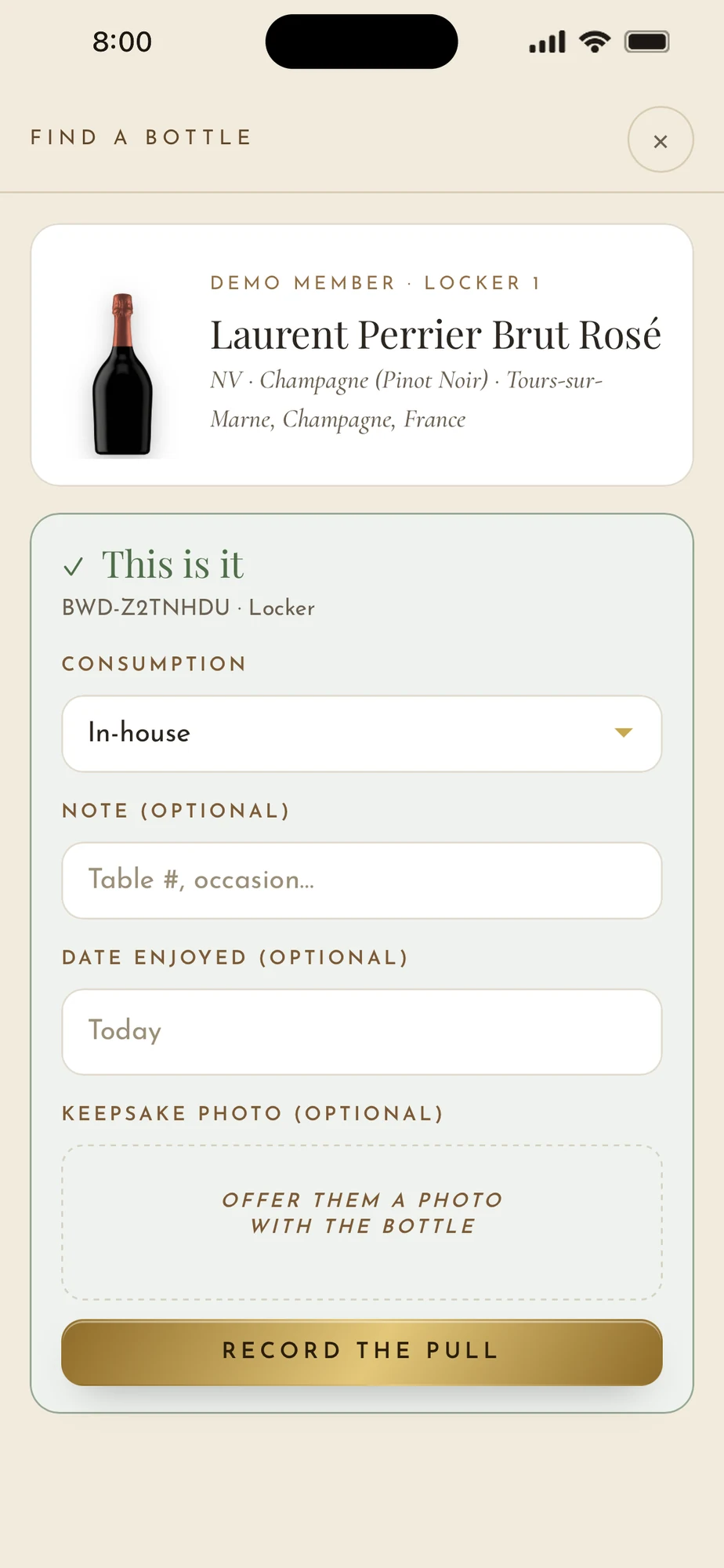
Find a bottle: the wine, whose locker, each bottle’s storage spot and tag

For venues

The program you would be proud to explain.

Everything the floor, the bar and the office need, in one record that never disagrees with itself.

The ledger

Every member, every locker, every bottle — house-purchased or brought in — with its vintage, where it sits, and its full history.

Labels that last

Durable QR labels, minted in batches and registered before they ship to you. Void a batch that goes missing; reclaim a tag when its bottle leaves.

Storage spots

A locker is where a bottle belongs; the bar cooler is where it might sit tonight. Name your spots per location and every bottle knows both.

Find my bottle

The member shows a code; the server is walked to the exact bottle. A wrong bottle is refused before it ever leaves the cooler.

Roles and approvals

Servers submit pulls; managers approve. Each account carries exactly the permissions you give it — enforced by the database, not the screen.

Activity, append-only

A full chain of custody: every add, pull, request and change, with who and when. Filter by day, week, month, or your own range.

Catalog and tasting notes

Your list, per location, with prices and vintages. Horreum writes the tasting note for every wine — long-form, guest-ready, one voice.

Your brand, your locations

White-label from the first screen: your logo, your themes, your locker finishes. Add locations as you grow; each keeps its own catalog, staff and records.

iPhone and Android

Every new account is walked through it.

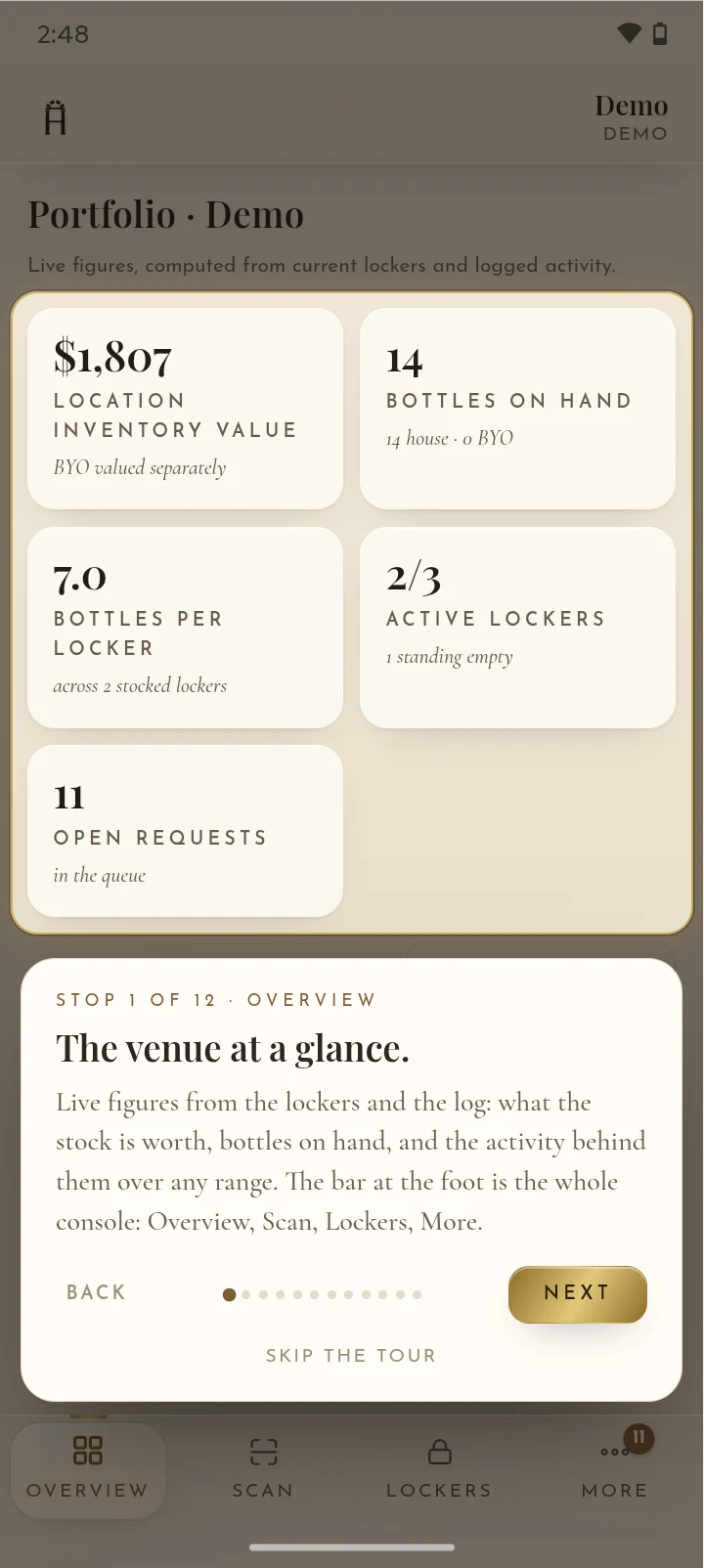
The first time someone signs in, Horreum takes them through the app stop by stop — the overview, the scanner, the lockers — on whichever phone they carry. It can be skipped at any time.

The staff tour on an Android phone, stop one: the venue at a glance — inventory value, bottles on hand, active lockers, open requests
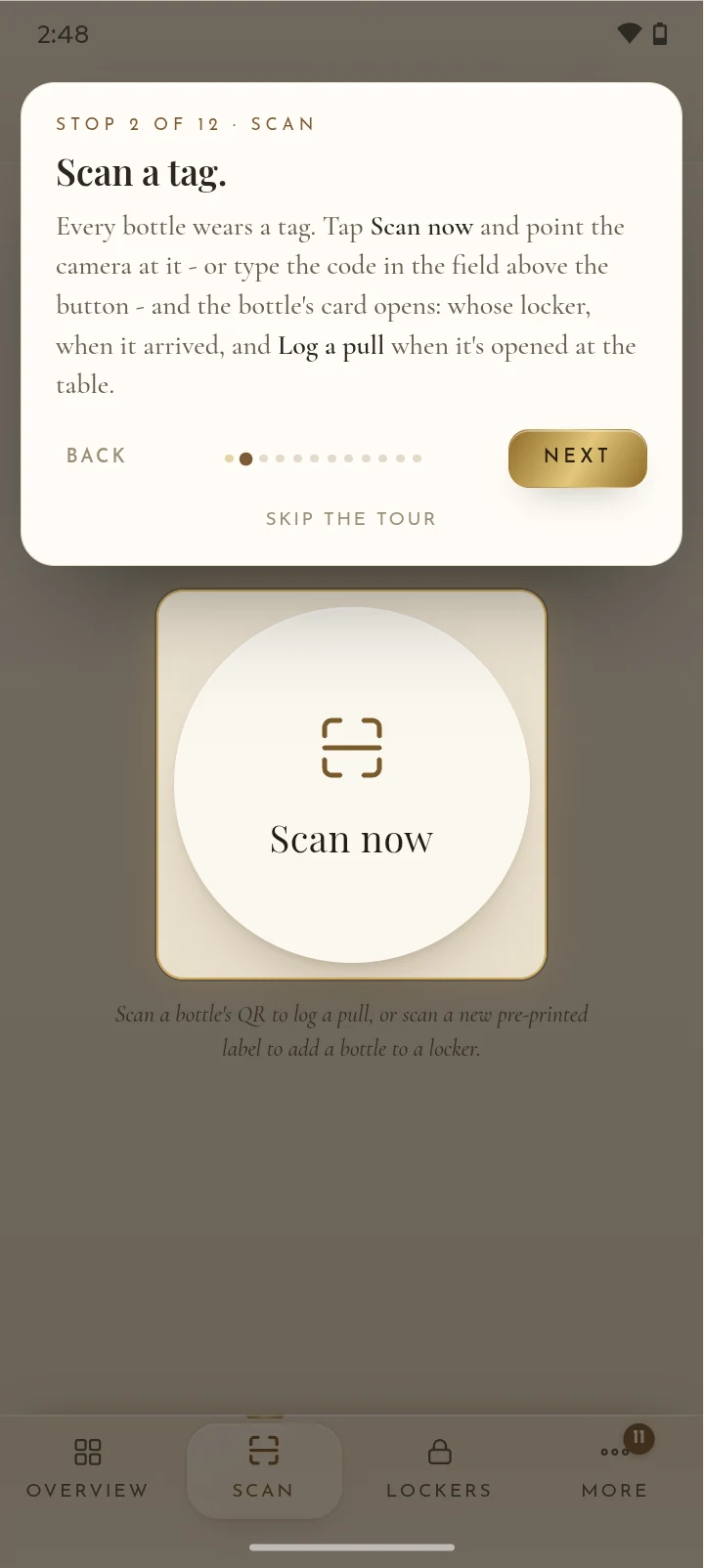
The staff tour on an Android phone, stop two: scan a tag to open a bottle’s card and log a pull
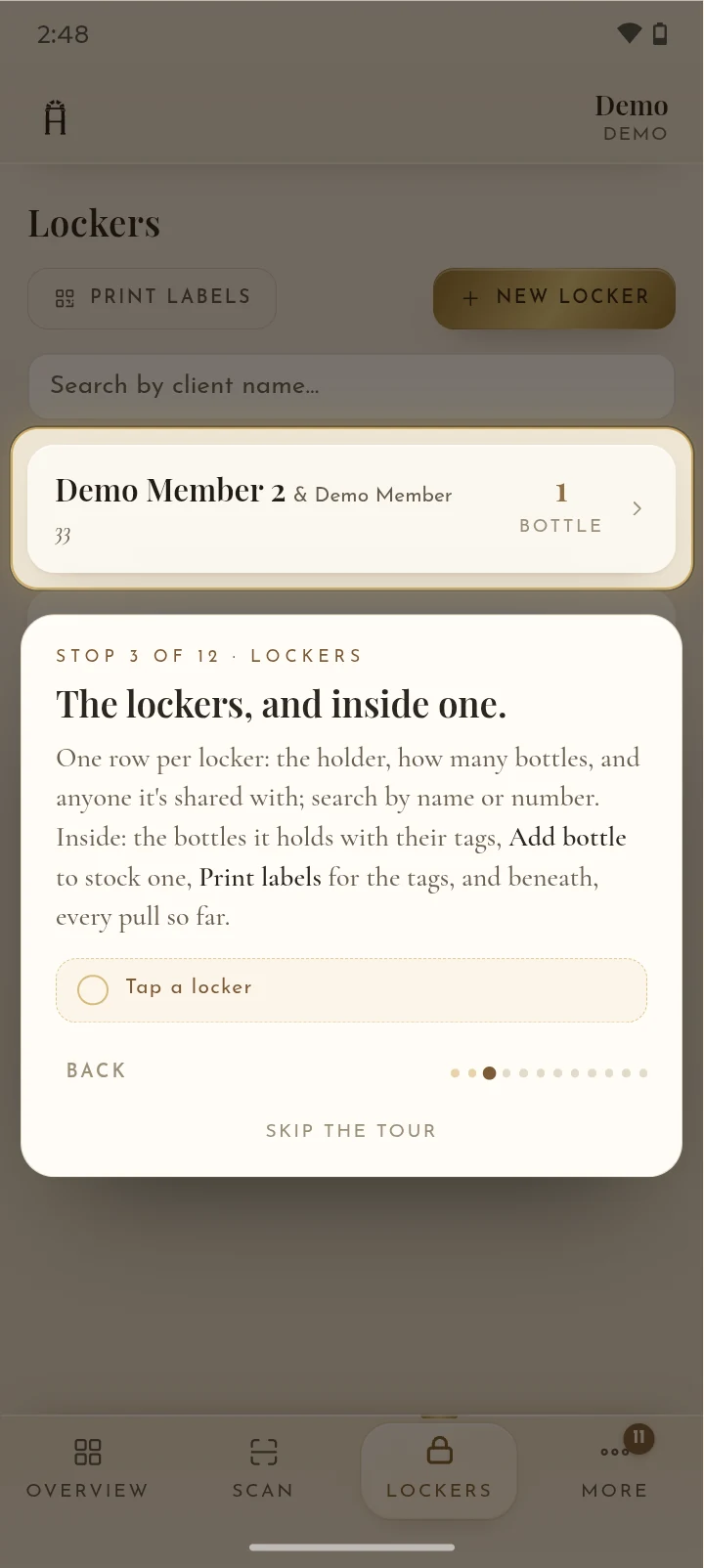
The staff tour on an Android phone, stop three: the lockers list, and what is inside one

For members · The Atlas

The cellar, region by region.

Members don’t get a spreadsheet. They get the world at night — and a gold pin wherever one of their bottles was made. Tap a region to see what grows there, and how far it travelled to their table.

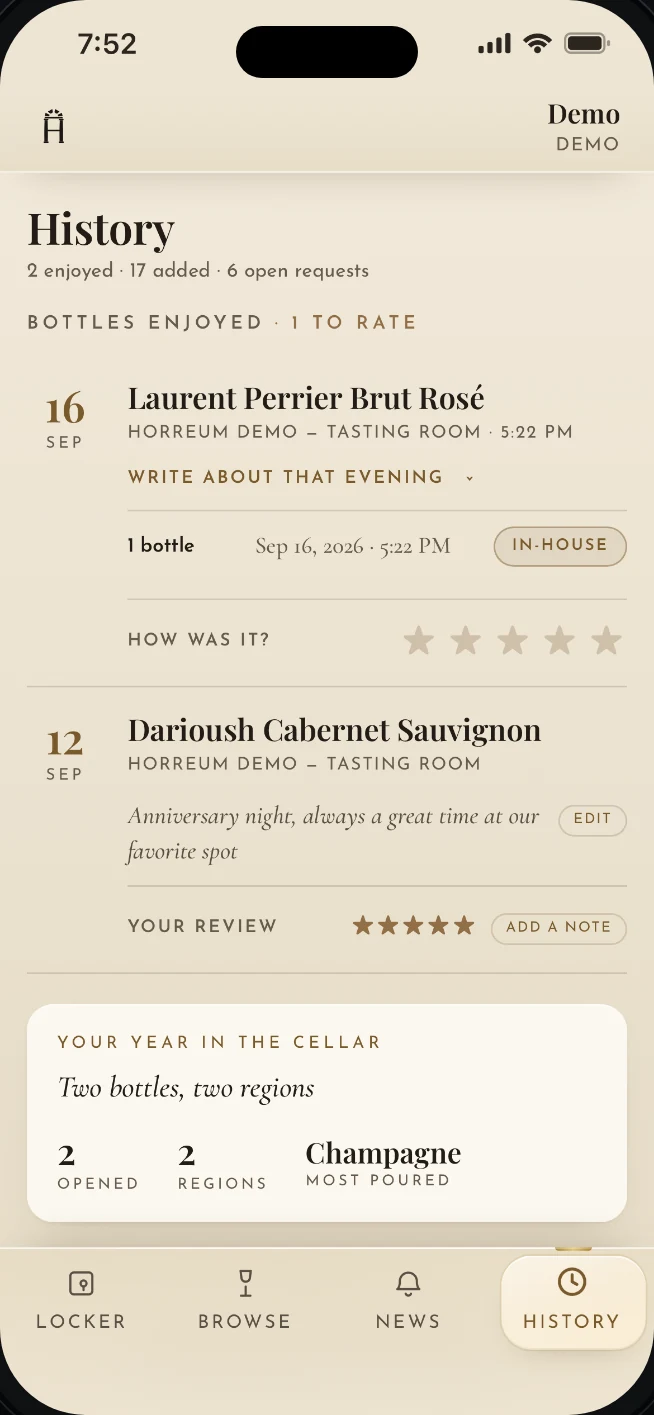
History: bottles enjoyed and rated, with a line about the evening
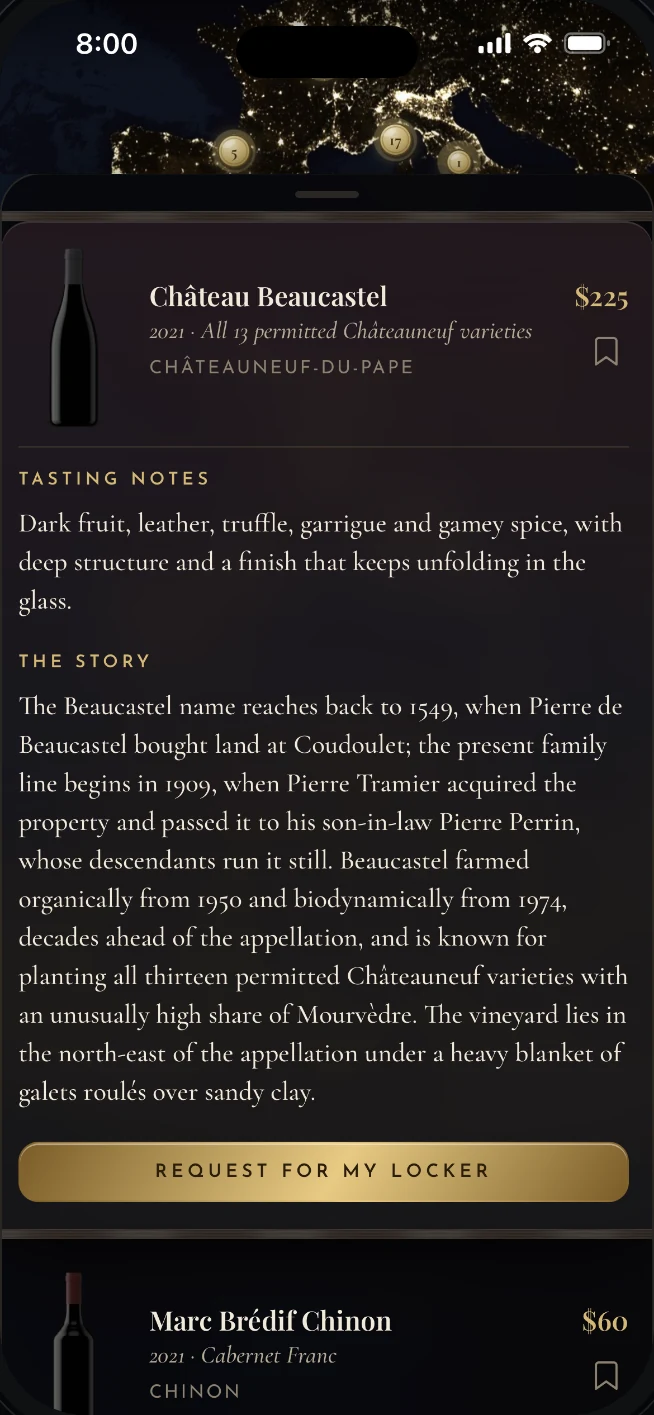
A wine’s card in Browse: Horreum’s tasting note, the story behind the wine, and a gold Request for my Locker button

For members

A collection worth showing off.

  • The Locker. Their own cabinet, in a finish of their choosing, with every bottle standing in it.
  • The Collection. Every bottle with Horreum’s tasting note and the story behind it, drawn as a cellar sheet they can print or share.
  • History, ratings and a journal. What they enjoyed, what they thought of it, and a line about the evening it was opened.
  • Show your server. One tap on a bottle shows the code that brings it to the table.
  • Requests and messages. Ask for a bottle from the list, or a word with the team, without picking up the phone.
  • Two faces. Classic by day, midnight after dark — it follows the clock.

Pricing

Contact us for pricing.

Tell us a little about your program and we’ll be in touch.

Built to be trusted with other people’s wine.

Each venue’s data is isolated by row-level security in Postgres. Staff permissions are enforced by the database itself. Card payments, when a venue turns them on, are handled by Stripe and never pass through Horreum. The activity log is append-only.

How Horreum handles data →

Trust

Records that can be relied on.

A locker program is a promise to members. The software that runs it should be at least as careful as the people who make that promise.

See it on your floor.

A thirty-minute walkthrough with the person who built it.